In today’s digital-first world, having a professionally designed, responsive website is no longer a luxury it’s a necessity. The top web design tools of 2025–26 are smarter, faster, and more user-friendly than ever, making it easier for business owners to create visually stunning and high-performing websites without needing deep technical knowledge.
According to a report by Statista, over 5.3 billion people were active internet users globally as of 2024. With that number only expected to rise, your website is often your first point of contact with customers and first impressions matter. In fact, 75% of users judge a company’s credibility based on website design.
Whether you’re working with a website design company in Ahmedabad or planning to build in-house, choosing the right tools for web design can significantly improve efficiency, creativity, and business results.
Understanding these tools helps you make informed decisions whether you’re building your website yourself or partnering with the best website design company in Ahmedabad to bring your brand vision to life.
What Makes a Great Web Design Tool in 2025–26?
➢ User-Friendliness and Learning Curve
Today’s web design tools for beginners prioritize simplicity:
❑ Drag-and-drop interfaces
❑ Visual editors
❑ Minimal (or no) coding required
These make them ideal for business owners without a tech background.
➢ Design Flexibility and Creative Control
Top tools allow:
❑ Custom templates or fully blank canvases
❑ Advanced layout options
❑ Total control over colors, fonts, animations
❑ Responsive design adjustments
This level of flexibility is vital for brand consistency.
➢ Performance, Speed, and SEO Readiness
Your tool must support:
❑ Mobile-first design
❑ Optimized code for fast loading
❑ Built-in SEO features like meta tags, schema support, image optimization
Responsive web design tools are especially important as mobile traffic now dominates global internet usage.
➢ Integrations and Platform Compatibility
The best tools seamlessly connect with:
❑ CMS platforms like WordPress
❑ Third-party apps (CRM, analytics, email tools)
❑ E-commerce platforms (Shopify, WooCommerce)
This ecosystem reduces manual work and improves functionality.
➢ Pricing Structure and Long-Term Scalability
Free web design tools are great for early-stage startups, while growing businesses may benefit from feature-rich paid platforms.
❑ Look for flexible pricing plans
❑ Check if scalability is possible without switching tools

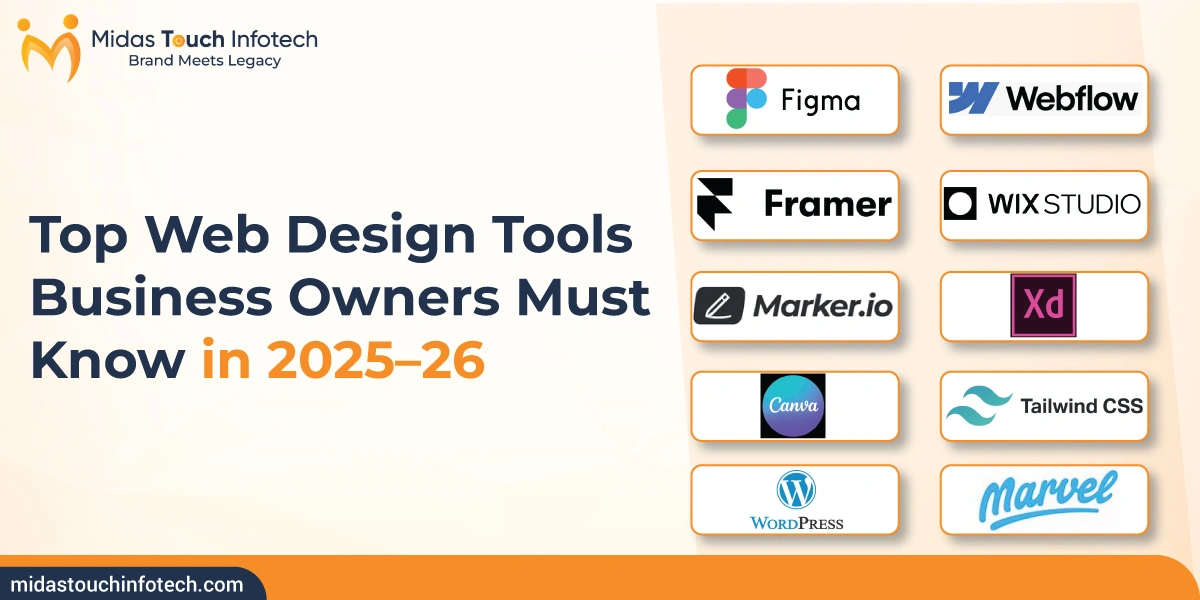
Top Web Design Tools Business Owners Must Know in 2025–26
Below is a detailed web design tools list, including overviews, features, advantages, disadvantages, pricing, and links for more information.
➢ Figma

➥ Overview:
Figma is a cloud-based UI/UX design tool trusted by teams for real-time collaboration, prototyping, and building scalable design systems.
➥ Characteristics:
❑ Real-time design collaboration
❑ Vector editing
❑ Cloud-based file storage
➥ Advantages:
❑ Platform-agnostic
❑ Ideal for remote teams
❑ Easy developer handoff
➥ Disadvantages:
❑ Not for live site development
➥ Pricing:
❑ Free tier, Pro from $12/month
➥ Website: Figma
➢ Webflow

➥ Overview:
Webflow is one of the best web design tools that lets users design and publish responsive websites with no code while generating production-ready HTML/CSS in the background.
➥ Characteristics:
❑ Visual CMS
❑ Hosting included
❑ Clean HTML/CSS export
➥ Advantages:
❑ SEO-friendly
❑ Design flexibility
❑ CMS and eCommerce support
➥ Disadvantages:
❑ Learning curve for beginners
➥ Pricing:
❑ Starts at $14/month
➥ Website: Webflow
➢ Framer

➥ Overview:
Framer is a high-performance, AI-integrated website builder for designers who want interactive, animated, and mobile-first experiences without coding.
➥ Characteristics:
❑ Real-time collaboration
❑ No-code animations
❑ AI layout generation
➥ Advantages:
❑ Great UI aesthetics
❑ Quick deployment
❑ Ideal for marketing pages
➥ Disadvantages:
❑ Less backend flexibility
➥ Pricing:
❑ Free basic, Pro from $20/month
➥ Website: Framer
➢ Wix Studio

➥ Overview:
Wix Studio takes the traditional Wix experience to a pro level, offering better layout control, responsive editing, and tools for freelancers and agencies.
➥ Characteristics:
❑ Responsive editor
❑ Automation workflows
❑ Full-stack support
➥ Advantages:
❑ Easy to use
❑ Template-rich
❑ Built-in SEO tools
➥ Disadvantages:
❑ Limited for complex, large-scale apps
➥ Pricing:
❑ Free plan, Premium from $16/month
➥ Website: Wix Studio
➢ Marker.io

➥ Overview:
Marker.io is a feedback and bug-reporting tool that integrates with your existing tools, letting clients or teammates leave visual notes directly on live websites.
➥ Characteristics:
❑ Screenshot annotations
❑ Client feedback capture
❑ Jira, Trello, Slack integration
➥ Advantages:
❑ Saves time during revisions
❑ Streamlines QA processes
➥ Disadvantages:
❑ Not a design or build tool
➥ Pricing:
❑ From $39/month
➥ Website: Marker.io
➢ Adobe XD

➥ Overview:
Adobe XD is Adobe’s solution for UI/UX design, supporting detailed wireframes, animations, voice prototyping, and full creative workflows.
➥ Characteristics:
❑ Vector-based design
❑ Plugin ecosystem
❑ Seamless Adobe integration
➥ Advantages:
❑ Ideal for design systems
❑ Clean developer handoff
➥ Disadvantages:
❑ Fewer updates compared to Figma
➥ Pricing:
❑ Free plan, Full access via Adobe CC
➥ Website: Adobe XD
Also Read: Web Design vs UX Design: Why Both Are Essential for Competitive Advantage
➢ Canva

➥ Overview:
Canva is a visual design platform that now includes basic website building, ideal for non-designers who need quick, polished, responsive pages.
➥ Characteristics:
❑ Drag-and-drop UI
❑ Templates
❑ Brand kits and team collaboration
➥ Advantages:
❑ Beginner-friendly
❑ Fast and intuitive
➥ Disadvantages:
❑ Limited for complex designs
➥ Pricing:
❑ Free plan, Pro at $12.99/month
➥ Website: Canva
➢ Tailwind CSS

➥ Overview:
Tailwind CSS is a popular developer-first web design tool, offering a fast way to style sites using utility classes. It ensures performance and design consistency.
➥ Characteristics:
❑ Customizable utility classes
❑ Mobile-first by default
❑ Easy to scale
➥ Advantages:
❑ Clean code
❑ High performance
❑ Ideal for frameworks like React, Vue
➥ Disadvantages:
❑ Requires coding experience
➥ Pricing:
❑ Open-source / Free
➥ Website: Tailwind CSS
➢ WordPress

➥ Overview:
Powering 40%+ of all websites, WordPress is the most flexible, open-source CMS with plugins and themes for nearly every use case.
➥ Characteristics:
❑ Theme and plugin support
❑ eCommerce via WooCommerce
❑ SEO and content optimization
➥ Advantages:
❑ Scalable and customizable
❑ Global community and support
➥ Disadvantages:
❑ Requires manual updates and security checks
➥ Pricing:
❑ Free core, hosting and premium tools vary
➥ Website: WordPress
➢ Marvel

➥ Overview:
Marvel offers intuitive wireframing and interactive prototyping tools. It’s ideal for lean teams validating concepts before full development.
➥ Characteristics:
❑ Drag-and-drop editor
❑ Interactive previews
❑ Team collaboration
➥ Advantages:
❑ Easy learning curve
❑ Fast iterations
➥ Disadvantages:
❑ Less robust than Figma or XD
➥ Pricing:
❑ Free plan, Pro starts at $12/month
➥ Website: Marvel
How to Choose the Right Tool for Your Business?
➢ Based on Business Size
❑ Startups: Canva, Wix Studio, WordPress
❑ SMEs: Webflow, Figma, Tailwind CSS
❑ Enterprises: Adobe XD, Framer, WordPress + Tailwind
➢ Based on Technical Experience
❑ No-code Users: Webflow, Wix Studio, Canva
❑ Developers: Tailwind CSS, WordPress, Framer
➢ Based on Long-Term Goals
❑ Branding: Adobe XD, Canva
❑ SEO & Content: WordPress, Webflow
❑ Ecommerce: Wix Studio, WordPress, Webflow
Also Read: Complete list of Web Design Services for CEOs, CMOs, and Decision Makers
Common Mistakes to Avoid When Selecting Web Design Tools
Even the best web design tools can fall short if chosen for the wrong reasons. Avoid these common mistakes:
❑ Choosing Tools Only for Looks
A great-looking tool doesn’t always mean great performance. Many tools with flashy templates lack flexibility, SEO features, or integration options.
➥ Tip: Prioritize functionality, scalability, and business needs over aesthetics.
❑ Ignoring Mobile Optimization
With mobile devices dominating internet traffic, using tools that don’t support responsive design can hurt user experience and SEO.
➥ Tip: Always test your site on different screen sizes. Choose tools with mobile-first design support.
❑ Skipping Testing and Feedback
Launching without testing often leads to bugs, broken layouts, and poor user journeys.
➥ Tip: Use tools like Marker.io to collect real-time feedback and improve collaboration.
❑ Using Too Many Tools at Once
Juggling multiple tools creates confusion, slows performance, and complicates workflows.
➥ Tip: Choose an all-in-one or well-integrated tool stack to simplify your process.

Ready to Build a Smarter Website for 2025–26? Let’s Guide You Forward
Choosing the top web design tools can streamline your workflow, improve customer experience, and boost SEO results. Whether you’re a startup or an established brand, these tools offer powerful, scalable solutions tailored to every business model.
If you’re unsure where to begin, partnering with the best website design company in Ahmedabad can make the process faster and stress-free. At Midas, we help businesses select and implement the right tools to craft impactful digital experiences.
Start experimenting with these tools today and your future customers are already online.

Mit Thakkar
Mit Thakkar, CEO of Midas Touch Infotech and a recognized LinkedIn SEO influencer, possesses extensive expertise in branding, website development, and digital marketing. He excels in transforming ideas into impactful digital strategies.