
Summarize this blog post with:


- Website Redesign Checklist to Plan, Design, and Launch Successfully
- What Is a Website Redesign?
- 🢧 Website Redesign vs Website Refresh
- 🢧 Signs Your Website Needs a Redesign
- Why Planning Matters Before Redesigning a Website
- ✧ Define Business Goals
- ✧ Identify Your Target Audience
- ✧ Audit Your Existing Website
- Complete Website Redesign Checklist
- 1. Set Clear Project Goals
- 2. Analyze Current Website Performance
- 3. Perform an SEO Audit
- 4. Review Website Content
- 5. Plan Site Architecture
- 6. Create Wireframes
- 7. Focus on UI Design
- 8. Improve User Experience
- 9. Optimize for Mobile Devices
- 10. Improve Website Speed
- 11. Strengthen Technical SEO
- 12. Optimize Conversion Paths
- 13. Integrate Essential Tools
- 14. Test Every Website Feature
- 15. Prepare Redirects Before Launch
- 16. Launch the Website
- 17. Monitor Performance After Launch
- Essential Website Redesign Mistakes to Avoid
- ➥ SEO Mistakes
- ➥ Design Mistakes
- ➥ Technical Mistakes
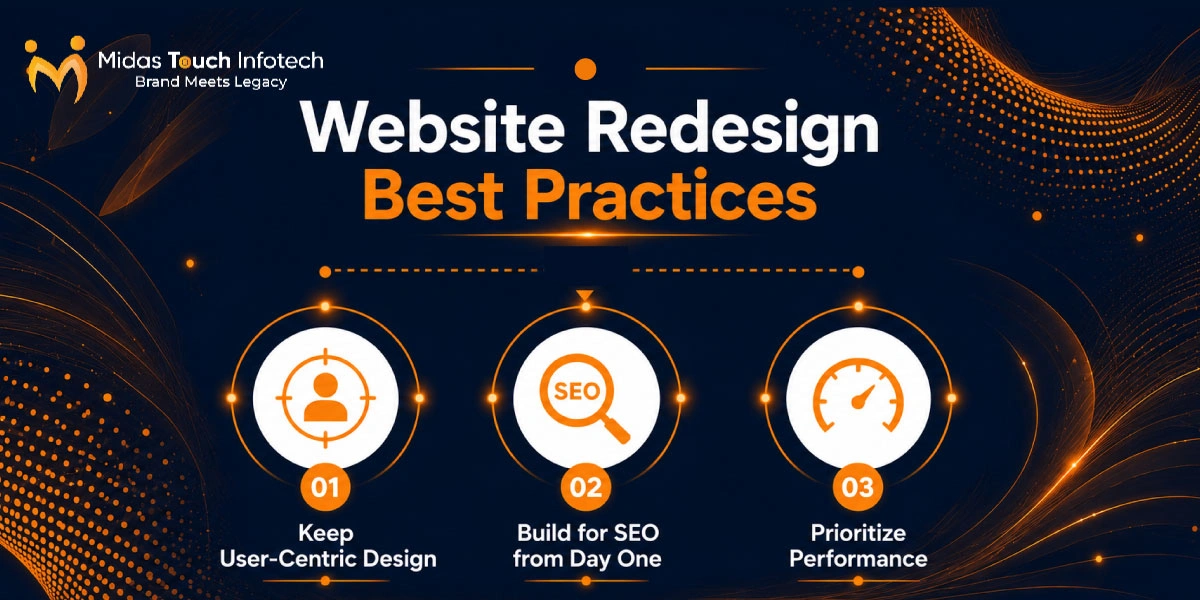
- Website Redesign Best Practices
- ▶ Keep User-Centric Design
- ▶ Build for SEO from Day One
- ▶ Prioritize Performance
- Website Redesign Tools That Simplify the Process
- ❖ Planning & Collaboration
- ❖ SEO & Performance
- ❖ Design & Testing
- Website Redesign Timeline: Sample Process
- ❏ Phase 1 – Discovery & Planning
- ❏ Phase 2 – Design
- ❏ Phase 3 – Development
- ❏ Phase 4 – Testing
- ❏ Phase 5 – Launch & Optimization
- Small Business Website Redesign Checklist
- Ready to Redesign Your Website for Better Performance?
Website Redesign Checklist to Plan, Design, and Launch Successfully
A website is often the first place where customers judge your business. If your website looks outdated, loads slowly, is difficult to use on mobile, or fails to convert visitors into leads, it may be time for a redesign. In today’s digital environment, website performance directly affects user trust, engagement, and revenue. According to StatCounter, mobile devices accounted for 51.51% of global desktop, mobile, and tablet usage in June 2026, which means more than half of users may be experiencing your website from a mobile screen. Google has also reported that 53% of mobile visitors abandon a page if it takes longer than three seconds to load.
Businesses redesign websites for many reasons. Some want to modernize their brand image, while others need better speed, SEO, mobile responsiveness, or conversion-focused landing pages. However, many websites fail after redesign because businesses focus only on visuals and ignore SEO, redirects, content structure, user experience, and technical performance.
That is why following a structured website redesign checklist is important. A checklist helps you plan, design, develop, test, and launch your new website without losing traffic, rankings, or leads. In this guide, you will learn the complete website redesign process, common mistakes to avoid, essential tools, SEO best practices, and a step-by-step launch plan.
Whether you are a startup, small business, or growing enterprise, professional website redesign services can help you build a modern, fast, SEO-friendly, and conversion-focused website.
What Is a Website Redesign?
A website redesign is the process of improving the structure, design, content, functionality, and performance of an existing website. It is not just about changing colors or adding new images. A proper redesign focuses on improving how users interact with your website and how well your website supports your business goals.
A website redesign may include changes to the layout, navigation, page speed, mobile responsiveness, CMS setup, SEO structure, content quality, conversion paths, and backend technology. The goal is to create a better experience for users and improve business results.
🢧 Website Redesign vs Website Refresh
A website redesign and a website refresh are not the same. A refresh is a smaller update, while a redesign is a deeper transformation.
A website refresh usually includes minor visual changes such as updated colors, fonts, banners, images, or small content improvements. It is useful when your website is performing well but needs a more modern appearance.
A complete redesign is required when your website has deeper problems. These may include poor navigation, slow loading speed, weak SEO performance, outdated technology, low conversion rates, or a poor mobile experience. If your website is not helping you generate leads, sales, or customer trust, a full redesign may be the better option.
🢧 Signs Your Website Needs a Redesign
Your website may need a redesign if it looks outdated compared to competitors. A modern design creates trust and gives users confidence in your business. If the design feels old, cluttered, or inconsistent, users may leave before exploring your services.
Poor mobile responsiveness is another major sign. Since a large share of users browse from mobile devices, your website must work smoothly on all screen sizes. Buttons should be easy to tap, text should be readable, and forms should be simple to complete.
Slow loading speed is also a serious issue. A slow website increases bounce rate and reduces conversions. Google’s research shows that as page load time increases from one second to ten seconds, the probability of mobile bounce increases by 123%.
Other signs include low conversion rates, poor user experience, difficult content management, outdated CMS, broken links, and declining SEO performance. If your traffic is falling or users are not taking action, your website may need a strategic redesign.
Why Planning Matters Before Redesigning a Website
A successful redesign begins with planning. Without a clear plan, businesses often waste time, increase costs, and damage existing SEO performance. Planning helps you understand what is working, what needs improvement, and what goals the new website must achieve.
✧ Define Business Goals
Before redesigning your website, define your main business goals. Do you want to generate more leads? Increase product sales? Improve brand awareness? Provide a better customer experience? Support content marketing? Improve SEO rankings?
Clear goals help your design, content, and development teams make better decisions. For example, if your goal is lead generation, your website should focus on strong CTAs, service pages, trust signals, forms, landing pages, and conversion tracking. If your goal is brand awareness, your website should focus on storytelling, visual identity, case studies, and content engagement.
✧ Identify Your Target Audience
Your website should be designed for your users, not only for your internal team. Identify your target audience before planning the redesign. Create user personas based on customer needs, pain points, behavior, and expectations.
Understand the customer journey. A first-time visitor may need educational content, while a decision-ready buyer may need pricing, testimonials, case studies, or a contact form. User intent should guide your page structure, navigation, content, and CTAs.
✧ Audit Your Existing Website
A website audit helps you understand the current condition of your website. Review your high-performing pages, low-performing pages, broken links, technical issues, content gaps, and SEO opportunities.
Do not delete pages without checking their SEO value. Some old pages may still bring traffic or backlinks. Instead of removing them, update the content or redirect them properly. This step is especially important when using professional website redesigning services, because the redesign should protect your existing traffic while improving performance.
Complete Website Redesign Checklist
A complete website redesign process checklist helps you manage every stage of the project from planning to launch. Use the following checklist to redesign your website successfully.
1. Set Clear Project Goals
Start by defining what success looks like. Your goals should be specific and measurable. Common KPIs include organic traffic growth, lower bounce rate, higher conversion rate, more leads, better page speed score, improved keyword rankings, and increased form submissions.
Create a project timeline with clear responsibilities. Include planning, design, content, development, testing, launch, and post-launch monitoring. This keeps everyone aligned and reduces delays.
2. Analyze Current Website Performance
Before redesigning, analyze how your current website is performing. Review traffic sources, top landing pages, conversion rates, bounce rate, average engagement time, and user behavior.
Use heatmaps and session recordings to understand how users interact with your pages. Identify where users click, scroll, pause, or drop off. This helps you make design decisions based on data instead of assumptions.
3. Perform an SEO Audit
A redesign can hurt rankings if SEO is ignored. That is why a website redesign seo checklist is essential. Review keyword rankings, technical SEO issues, internal links, meta titles, meta descriptions, headings, schema markup, sitemap, robots.txt file, and crawl errors.
Also identify redirect opportunities. If URLs are changing, prepare 301 redirects before launch. This helps preserve SEO value and prevents users from landing on broken pages.
4. Review Website Content
Content plays a major role in both SEO and conversions. Review all website pages and identify outdated, duplicate, thin, or irrelevant content. Update service pages, improve readability, and refresh CTAs.
Your content should clearly explain what you offer, who you help, why users should trust you, and what action they should take next. Strong content improves search visibility and user engagement.
5. Plan Site Architecture
Site architecture defines how pages are organized. A clear structure makes your website easier for users and search engines to understand.
Plan your navigation, URL structure, category hierarchy, service pages, blog sections, breadcrumbs, and internal linking. Keep important pages within a few clicks from the homepage. Avoid confusing menus or unnecessary page layers.
6. Create Wireframes
Wireframes are basic layouts that show the structure of each page before the final design. Create wireframes for the homepage, service pages, landing pages, blog templates, and contact page.
Wireframes help teams finalize content placement, CTA positions, sections, and user flow before investing time in visual design. This reduces revisions during development.
7. Focus on UI Design
User interface design should be clean, modern, and consistent with your brand. Use proper typography, color palette, spacing, visual hierarchy, icons, images, and white space.
A strong UI makes your website visually appealing and easy to scan. Avoid overcrowded sections, too many font styles, or inconsistent colors. Every visual element should support clarity and trust.
8. Improve User Experience
User experience decides whether visitors stay, explore, and take action. Improve navigation, accessibility, page flow, interactions, CTAs, and mobile usability.
Users should quickly understand what your business offers and how to contact you. Make forms simple, buttons visible, and content easy to read. A good UX reduces friction and increases conversions.
Also Read : 10 Strategic Reasons CEOs Should Invest in Website Redesign Services
9. Optimize for Mobile Devices
Mobile optimization is no longer optional. Your redesign should include responsive layouts, touch-friendly navigation, readable fonts, fast-loading pages, and mobile-friendly forms.
Test every important page on different screen sizes. Check menus, buttons, images, forms, and CTAs. A mobile-first approach helps you deliver a better experience to the majority of modern users.
10. Improve Website Speed
Website speed affects SEO, conversions, and user satisfaction. Compress images, use next-gen formats, enable lazy loading, optimize code, reduce unused CSS and JavaScript, use browser caching, and implement a CDN.
If your website is built on a CMS like WordPress, avoid unnecessary plugins and heavy page builders where possible. A reliable website redesign service agency can help improve performance without breaking design quality.
11. Strengthen Technical SEO
Technical SEO should be built into the redesign from the beginning. Create an XML sitemap, optimize robots.txt, use canonical tags, add schema markup, and fix crawl errors.
Pay attention to Core Web Vitals, including loading performance, interactivity, and visual stability. A technically strong website helps search engines crawl, index, and rank your pages more effectively.
12. Optimize Conversion Paths
A beautiful website is not enough if it does not generate results. Optimize conversion paths by placing CTAs in the right sections, simplifying contact forms, improving landing pages, and adding trust signals.
Use testimonials, case studies, certifications, client logos, reviews, and clear service benefits. Make it easy for users to request a quote, book a consultation, call your team, or submit an inquiry.
13. Integrate Essential Tools
Your redesigned website should include all essential tracking and marketing tools. Set up Google Analytics 4, Google Search Console, CRM integration, live chat, marketing automation, call tracking, and form tracking.
These tools help you measure performance after launch. Without tracking, you cannot understand what is working or where improvements are needed.
14. Test Every Website Feature
Testing is one of the most important steps before launch. Test all forms, buttons, links, menus, search functionality, filters, payment flows, downloads, and interactive elements.
Also perform cross-browser testing on Chrome, Safari, Firefox, and Edge. Test your website on mobile, tablet, and desktop devices. Fix issues before launch to avoid poor user experience.
15. Prepare Redirects Before Launch
If your URLs are changing, prepare 301 redirects before the new website goes live. Redirect old URLs to the most relevant new pages. This helps preserve SEO value and avoids 404 errors.
Also update internal links, XML sitemap, canonical tags, and navigation links. After launch, check crawl errors in Google Search Console and fix them quickly.
16. Launch the Website
Before launch, complete final QA. Take a full backup of the old website, confirm hosting setup, check DNS settings, test SSL, verify tracking codes, and prepare a rollback plan.
Launch should be handled carefully, especially for websites with existing SEO traffic. Monitor the website immediately after deployment to identify any technical issues.
17. Monitor Performance After Launch
A redesign does not end on launch day. Monitor indexing status, keyword rankings, organic traffic, conversions, form submissions, page speed, and user feedback.
Use Google Search Console to check crawl errors and indexing issues. Use analytics to compare performance before and after redesign. Continuous optimization helps your redesigned website perform better over time.
Essential Website Redesign Mistakes to Avoid
Many redesign projects fail because important details are missed. Avoiding common mistakes can protect your traffic, rankings, and conversions.
➥ SEO Mistakes
Common SEO mistakes include missing redirects, deleting valuable pages, changing URLs without planning, duplicate content, missing metadata, weak internal linking, and ignoring keyword rankings.
A proper seo checklist for website redesign helps prevent these issues. Always audit your existing SEO before making major changes.
➥ Design Mistakes
Design mistakes include overcomplicated navigation, poor readability, too many animations, unclear CTAs, inconsistent branding, and slow-loading visuals.
Your design should look attractive, but it should also be practical. Users should be able to find information quickly and complete actions easily.
➥ Technical Mistakes
Technical mistakes include broken forms, missing analytics, mobile usability issues, slow page speed, poor hosting setup, missing SSL, and plugin conflicts.
Businesses choosing website redesigning services in india should ensure the team understands design, development, SEO, performance, and post-launch support.
Website Redesign Best Practices
Following best practices helps you build a website that performs well after launch.
▶ Keep User-Centric Design
Design every page around user needs. Keep navigation simple, content readable, CTAs clear, and pages accessible. Use consistent branding across all pages.
A user-centric website improves trust and helps visitors move naturally from awareness to action.
▶ Build for SEO from Day One
SEO should not be added at the end. Plan clean URL structures, optimized metadata, heading hierarchy, image alt text, schema markup, and internal links from the beginning.
This is especially important for businesses investing in website redesign services india, where competition is growing across industries and local markets.
▶ Prioritize Performance
Fast loading speed, secure hosting, optimized images, clean code, and ongoing maintenance should be part of your redesign plan.
Performance is not a one-time activity. Continue monitoring speed, Core Web Vitals, and technical issues after launch.
Website Redesign Tools That Simplify the Process
The right tools make redesign planning, design, SEO, testing, and optimization easier.
❖ Planning & Collaboration
Figma is useful for design layouts and prototypes. Miro helps with brainstorming, user flows, and sitemap planning. Notion can manage documentation, content plans, and project notes. Trello helps teams track tasks and deadlines.
❖ SEO & Performance
Google Search Console helps monitor indexing, search performance, and technical issues. Google Analytics 4 tracks user behavior and conversions. PageSpeed Insights helps evaluate speed and Core Web Vitals. Screaming Frog helps crawl your website and find SEO issues.
❖ Design & Testing
Hotjar helps analyze user behavior with heatmaps and recordings. BrowserStack supports cross-browser and device testing. Lighthouse helps audit performance, accessibility, SEO, and best practices. GTmetrix helps identify speed improvement opportunities.
A reliable website redesign services company will often use a mix of these tools to plan, test, and optimize your website properly.
Also Read : How to Redesign Websites without Losing SEO?
Website Redesign Timeline: Sample Process
Every project is different, but most redesigns follow a structured timeline.
❏ Phase 1 – Discovery & Planning
This phase includes goal setting, website audit, competitor research, audience analysis, content review, SEO audit, and project roadmap creation.
For small websites, this phase may take a few days. For larger websites, it may take longer because more pages, integrations, and stakeholders are involved.
❏ Phase 2 – Design
The design phase includes wireframes, UI design, UX planning, brand alignment, mobile layouts, and prototype approval.
During this stage, focus on usability, content flow, visual hierarchy, and conversion paths. Do not design only for appearance. Design for clarity, trust, and action.
❏ Phase 3 – Development
The development phase includes coding, CMS setup, page development, responsive implementation, integrations, speed optimization, and backend configuration.
Developers should follow clean coding practices and ensure the website is scalable, secure, and easy to manage.
❏ Phase 4 – Testing
Testing includes QA, SEO review, speed testing, mobile testing, browser testing, form testing, and redirect testing.
This phase should not be rushed. A small missed issue can affect leads, user experience, or SEO performance after launch.
❏ Phase 5 – Launch & Optimization
The final phase includes deployment, DNS updates, tracking verification, performance monitoring, crawl checks, and continuous improvements.
After launch, compare results against your original KPIs. Review traffic, rankings, conversions, and user behavior. Use the data to keep improving your website.
Small Business Website Redesign Checklist
For small businesses, a redesign should focus on the highest-impact areas first. A practical small business website redesign checklist should include updated branding, clear service pages, mobile-friendly design, fast loading speed, strong CTAs, local SEO, testimonials, contact forms, Google Business Profile links, and analytics setup.
Small businesses should avoid overcomplicated designs. The website should clearly explain services, service areas, benefits, pricing approach if applicable, and contact options. The goal is to build trust quickly and turn visitors into inquiries.

Ready to Redesign Your Website for Better Performance?
A successful website redesign is more than a design update. It is a complete process that connects strategy, SEO, content, UX, development, testing, and performance optimization.
With the right checklist, your business can build a modern, conversion-focused website that improves SEO, user experience, lead generation, and customer trust. From planning to launch, every step should be handled carefully to protect your existing traffic and create better results.
If your current website is outdated, slow, difficult to manage, or not generating enough leads, now is the right time to work with an experienced website redesign company. The right team can help you plan, design, develop, launch, and optimize your website for long-term growth.
Partner with your web design and development team for a seamless redesign from planning to launch, and create a website that supports your business goals, improves conversions, and delivers a better digital experience for every visitor.

Mit Thakkar
Mit Thakkar, CEO of Midas Touch Infotech and a recognized LinkedIn SEO influencer, possesses extensive expertise in branding, website development, and digital marketing. He excels in transforming ideas into impactful digital strategies.