
Summarize this blog post with:


Quick Summary
A small business website redesign goes beyond improving visual appeal. It focuses on creating a better user experience, building customer trust, and increasing conversions. This blog explores 12 inspiring website redesign examples across industries such as restaurants, retail, healthcare, real estate, and eCommerce, highlighting how modern layouts, simple navigation, and mobile-friendly designs can improve website performance.
A successful website redesign combines attractive visuals, faster loading speeds, SEO optimisation, and clear calls to action. By evaluating your existing website, identifying areas for improvement, and setting clear goals, you can create a user-friendly website that attracts more visitors, generates quality leads, and supports long-term business growth.
- Key Takeaways
- 12 Small Business Website Redesign Examples to Inspire Your Next Makeover
- What Is a Small Business Website Redesign?
- Why Does Website Redesign Matter for Small Businesses?
- ➥ Creates a Stronger First Impression and Builds Trust
- ➥ Improves Website Navigation and User Experience
- ➥ Makes Websites Accessible Across Mobile Devices
- ➥ Supports SEO Performance and Online Visibility
- ➥ Helps Increase Leads, Enquiries, and Conversions
- 12 Inspiring Small Business Website Redesign Examples
- 1. Restaurant Website Redesign – Better Dining Experience
- 2. Retail Store Website Redesign – Boosting Sales
- 3. Consulting Website Redesign – Building Trust
- 4. Beauty Salon Website Redesign – Easy Bookings
- 5. Real Estate Website Redesign – Easy Property Search
- 6. Healthcare Website Redesign – Better Patient Experience
- 7. Home Services Website Redesign – More Leads
- 8. eCommerce Website Redesign – Easier Shopping
- 9. Fitness Website Redesign – More Memberships
- 10. Law Firm Website Redesign – Building Authority
- 11. Creative Agency Website Redesign – Better Portfolio
- 12. Bakery Website Redesign – Stronger Branding
- What Do Successful Small Business Website Redesigns Have in Common?
- ◈ Mobile-Friendly and Responsive Design
- ◈ Clean Layout and Intuitive Navigation
- ◈ Fast Loading Speed
- ◈ Strong Branding and Visual Appeal
- ◈ Conversion-Focused Calls to Action
- How to Plan a Successful Small Business Website Redesign
- Step 1: Evaluate Your Existing Website
- Step 2: Define Your Website Redesign Goals
- Step 3: Research Competitors and Website Design Trends
- Step 4: Improve Website Structure and User Experience
- Step 5: Optimise Your Website for SEO and Mobile Devices
- Step 6: Test and Launch Your Redesigned Website
- When Should You Redesign Your Small Business Website?
- ◈ Your Website Looks Outdated Compared With Competitors
- ◈ Visitors Struggle to Navigate on Mobile Devices
- ◈ Your Website Receives Traffic but Generates Few Enquiries
- ◈ Your Business Branding, Products, or Services Have Changed
- ◈ Your Website Is Slow or Difficult to Maintain
- ◈ Your Current Design No Longer Supports Business Goals
- Turn Website Redesign Inspiration Into Real Business Growth
12 Small Business Website Redesign Examples to Inspire Your Next Makeover
Your website is often the first interaction customers have with your business. But what happens when they land on a website that looks outdated, loads slowly, or makes it difficult to find information? They may leave before exploring your products or services. For small businesses, a poorly designed website can affect brand credibility, customer engagement, and potential sales.
According to a website credibility study, conducted by Stanford researchers and Consumer WebWatch, 46.1% of participants’ comments about website credibility referred to visual design, including layout, typography, and overall appearance. Although the study was published in 2002, it highlights how website presentation can influence customer trust.
A modern website redesign goes beyond improving appearance. It focuses on creating better user experiences, simplifying navigation, improving mobile responsiveness, and encouraging visitors to take action. With professional website redesign services, small businesses can transform outdated websites into effective platforms for attracting and converting customers.
Whether you own a restaurant, retail store, healthcare clinic, or consulting firm, exploring successful redesign approaches can help you identify improvements for your own website.
In this blog, we explore 12 small business website redesign examples across different industries, along with practical design ideas, common features, and planning steps to inspire your next website makeover.
What Is a Small Business Website Redesign?
A small business website redesign is the process of improving an existing website’s appearance, structure, content, functionality, and overall user experience. The objective is to create a website that better represents the business while meeting modern customer expectations.
Unlike building a completely new website, redesigning an existing one usually involves evaluating its current performance and identifying areas requiring improvement.
A website redesign may include updating page layouts, simplifying navigation, improving loading speed, refreshing content, and introducing conversion-focused features.
It is also important to understand the difference between a website redesign and a website refresh.
Website refresh: Involves smaller changes such as updating colours, fonts, images, or minor content elements without significantly modifying the website structure.
Website redesign: Involves more substantial improvements to website architecture, user journeys, branding, functionality, and performance.
For small businesses, redesigning a website creates opportunities to strengthen online visibility, improve customer experience, and generate more qualified enquiries.
Why Does Website Redesign Matter for Small Businesses?
An outdated website can make even an established business appear less professional. As customer expectations continue to evolve, small businesses need websites that are attractive, functional, and easy to navigate.
Here are five important reasons to consider a website redesign.
➥ Creates a Stronger First Impression and Builds Trust
Customers often form an initial opinion about a business through its website. A clean design, professional images, and clear messaging help communicate reliability and encourage visitors to explore further.
➥ Improves Website Navigation and User Experience
Complicated navigation can frustrate visitors. An organised website structure allows customers to find services, product information, pricing, and contact details without unnecessary effort.
➥ Makes Websites Accessible Across Mobile Devices
A responsive website automatically adjusts its layout to different screen sizes. This helps mobile users browse content, complete forms, and make purchases more conveniently.
➥ Supports SEO Performance and Online Visibility
Website redesign offers an opportunity to improve technical SEO, internal linking, page structure, and mobile usability. These improvements can support search engine visibility when implemented correctly.
➥ Helps Increase Leads, Enquiries, and Conversions
Strategically placed calls to action, simplified forms, and clearer service information help guide visitors towards enquiries, appointments, or purchases.
A well-planned redesign therefore supports both customer satisfaction and long-term business growth.
Also Read : Website Redesign Checklist to Plan, Design, and Launch Successfully
12 Inspiring Small Business Website Redesign Examples
Every industry has different customer expectations and website requirements. The following website redesign inspiration examples illustrate practical before-and-after scenarios that small businesses can apply to their own websites.
Note: These are illustrative industry scenarios, not verified redesign case studies or claims of measured business results.
1. Restaurant Website Redesign – Better Dining Experience
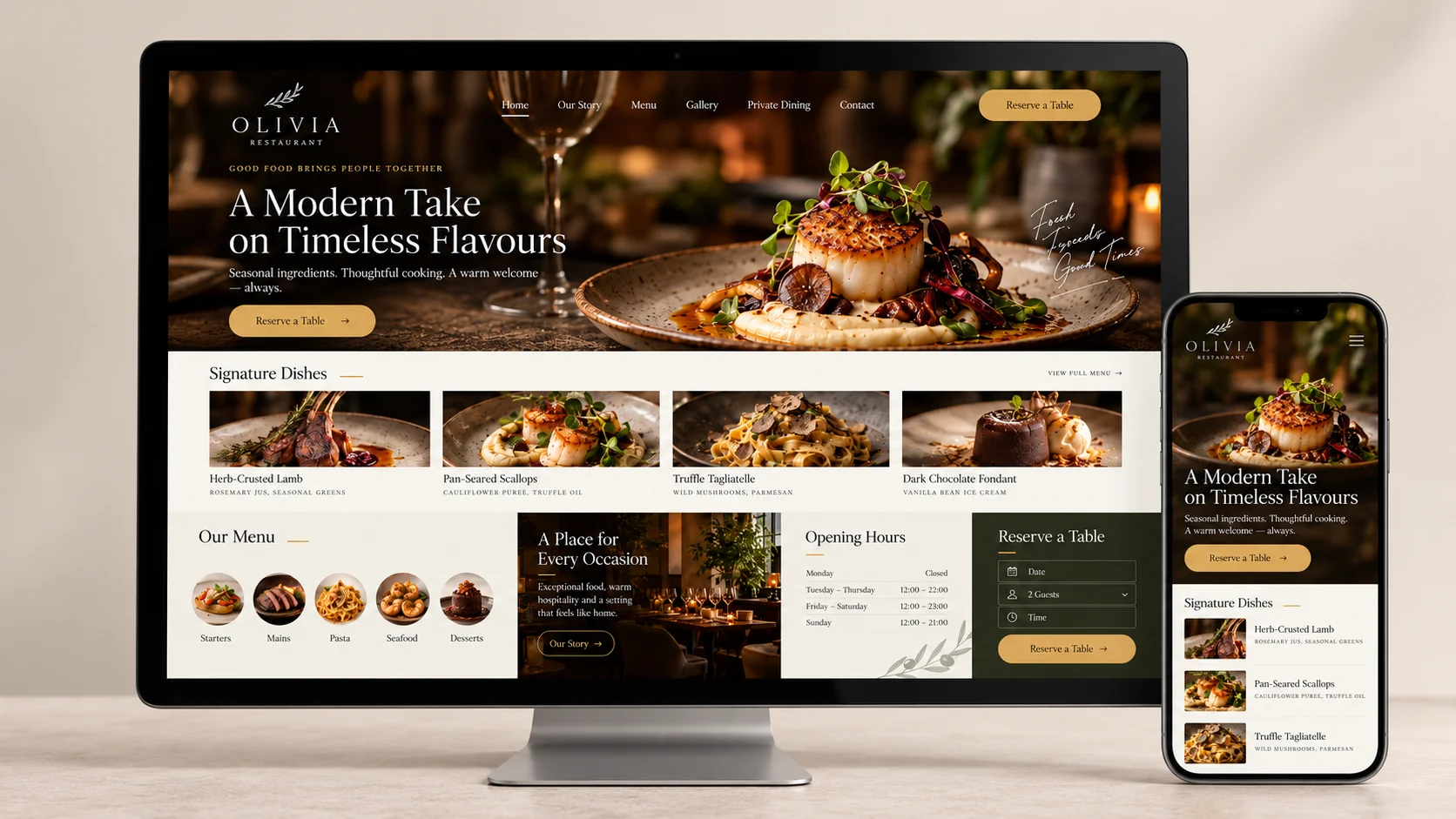
Restaurant websites should make it easy for customers to explore menus, check opening hours, and reserve tables. However, outdated restaurant websites often contain difficult-to-read menus, poor-quality images, and confusing navigation.
• Before Redesign:The website features outdated food photographs, downloadable PDF menus, and contact information hidden across multiple pages. Customers struggle to find reservation details.
• After Redesign:The redesigned website introduces professional food photography, an interactive menu, prominent opening hours, and a clear reservation button.
• Redesign Inspiration: Use attractive food visuals, accessible menus, and simple navigation to create a digital experience that reflects the restaurant’s atmosphere.
• Key Takeaway: Make table reservations and menu browsing effortless.
2. Retail Store Website Redesign – Boosting Sales
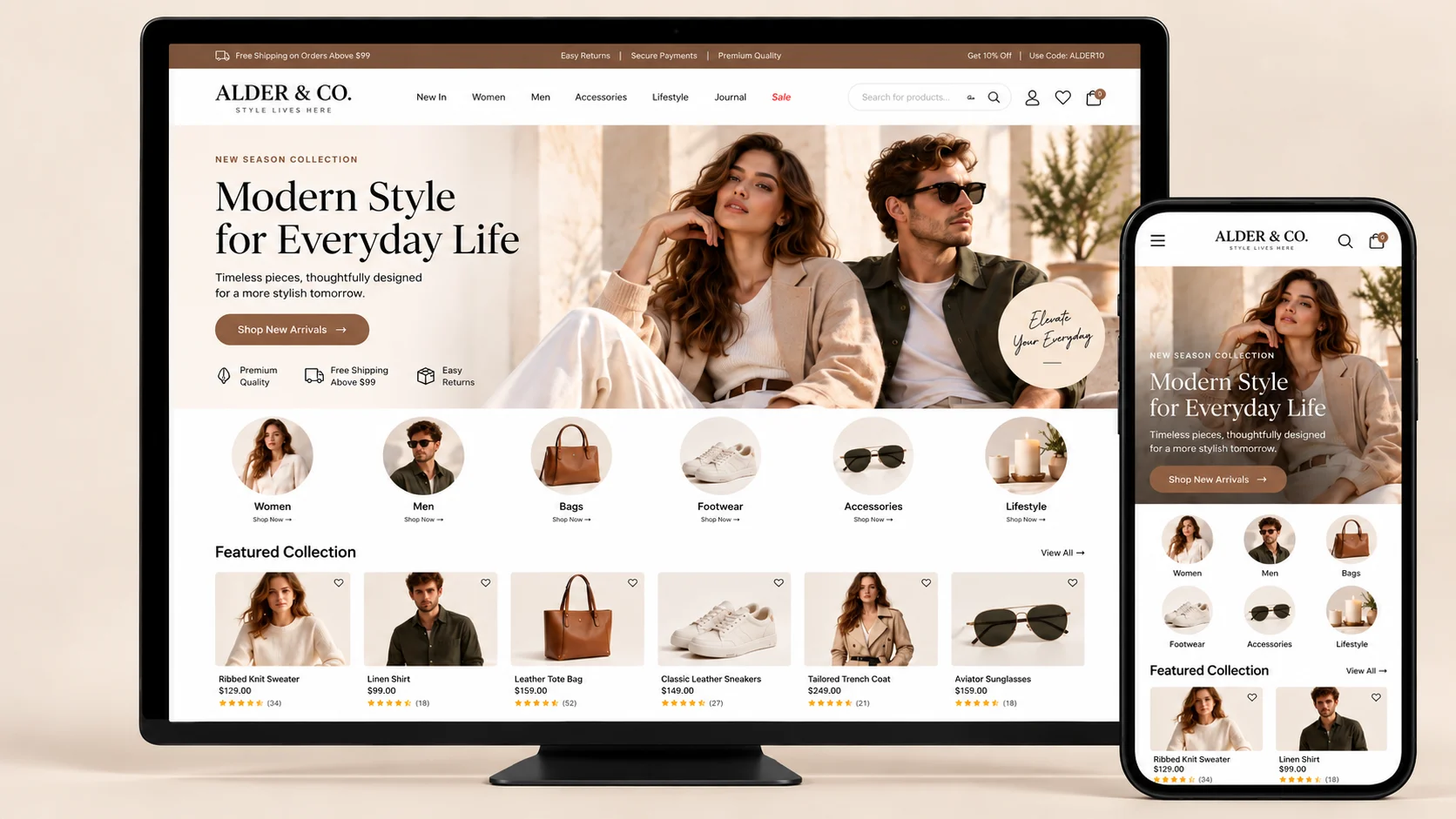
Retail businesses need websites that help customers discover products and make informed buying decisions.
• Before Redesign:The website has crowded product categories, inconsistent images, and complicated navigation. Customers find it difficult to compare items or reach the checkout page.
• After Redesign:The redesigned website uses organised product categories, high-quality images, visible product information, and a simplified checkout process.
• Redesign Inspiration: Highlight popular products, introduce helpful filters, and use consistent branding throughout the shopping experience.
• Key Takeaway: Simplify product discovery and purchasing to reduce unnecessary buying barriers.
3. Consulting Website Redesign – Building Trust
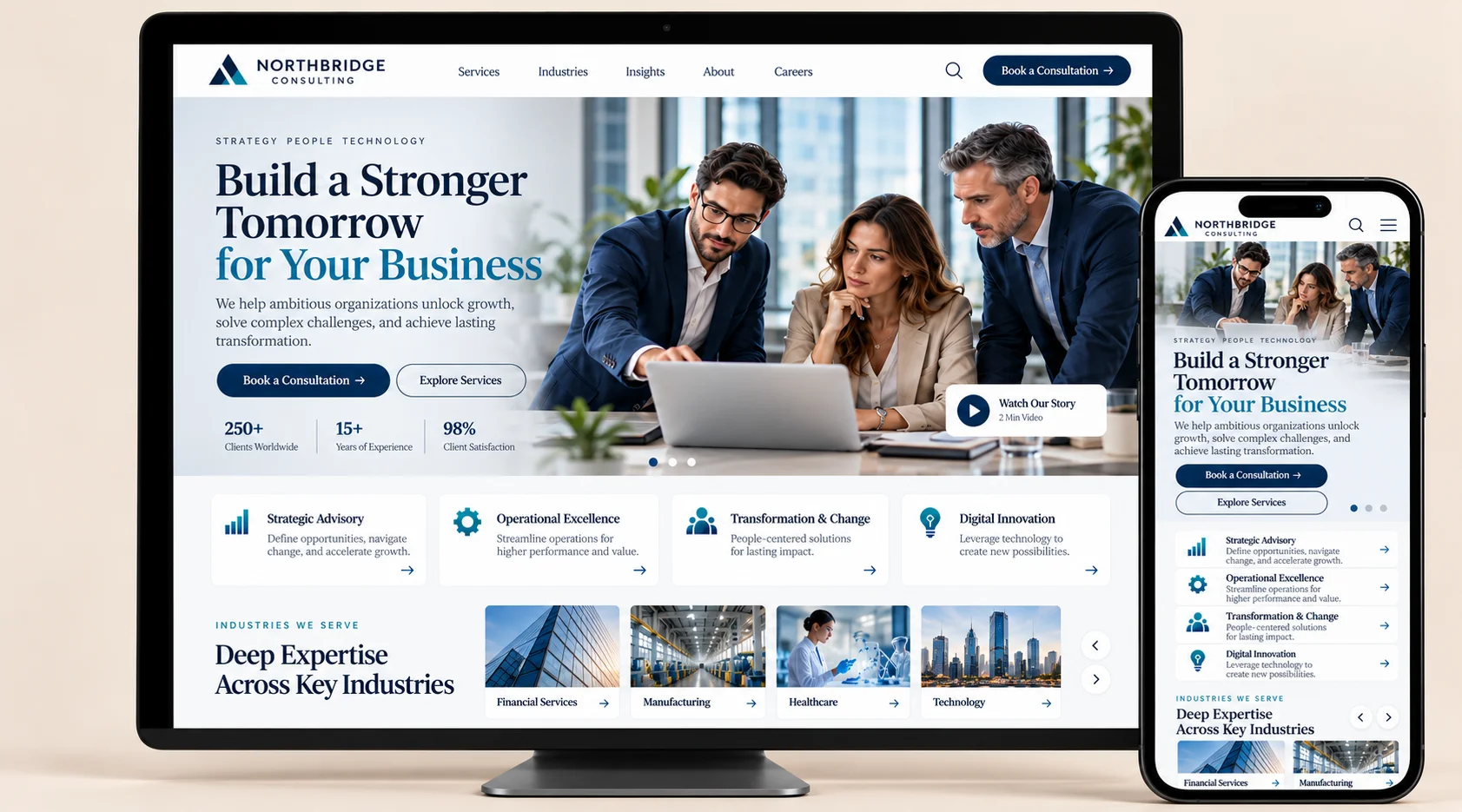
Consulting businesses depend heavily on expertise, credibility, and professional relationships. Their websites must clearly communicate the value of their services.
• Before Redesign:The website contains lengthy paragraphs, unclear service descriptions, and limited information about the consulting team’s experience.
• After Redesign:A professional website redesign introduces a clear value proposition, structured service pages, client testimonials, and strategically positioned consultation buttons.
• Redesign Inspiration: Use professional branding, authentic client success stories, and straightforward messaging to establish authority.
• Key Takeaway: Build customer confidence through clear communication and relevant proof of expertise.
4. Beauty Salon Website Redesign – Easy Bookings
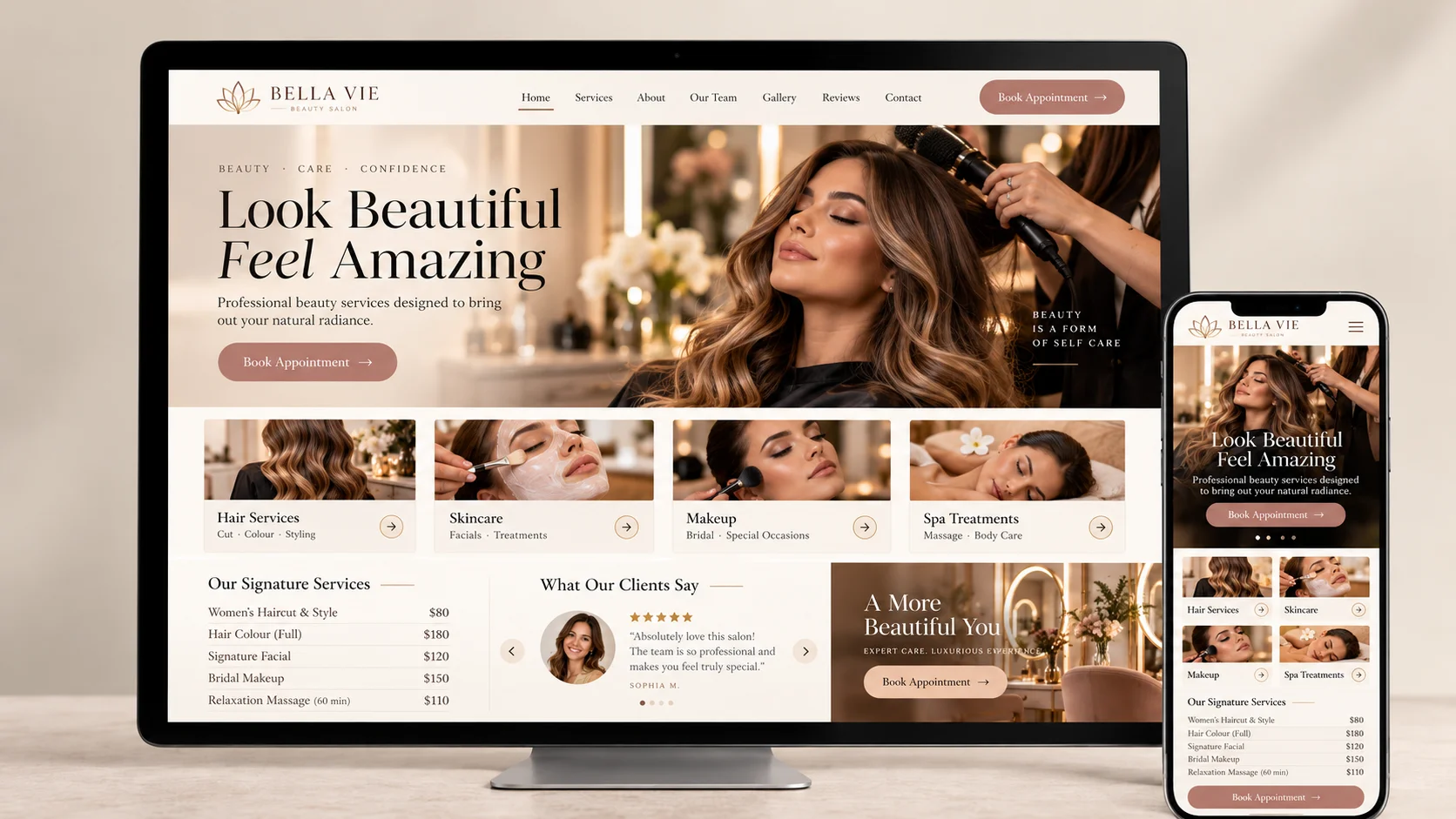
Beauty salons can attract more appointment enquiries when their websites effectively showcase services, results, and availability.
• Before Redesign:The website displays outdated salon photographs, incomplete service information, and only a phone number for appointments.
• After Redesign:The updated website features a modern image gallery, clear service categories, pricing information, and integrated appointment scheduling.
• Redesign Inspiration: Introduce attractive visuals, customer reviews, and convenient online booking to improve the overall customer experience.
• Key Takeaway: Make appointment scheduling quick and convenient across devices.
5. Real Estate Website Redesign – Easy Property Search
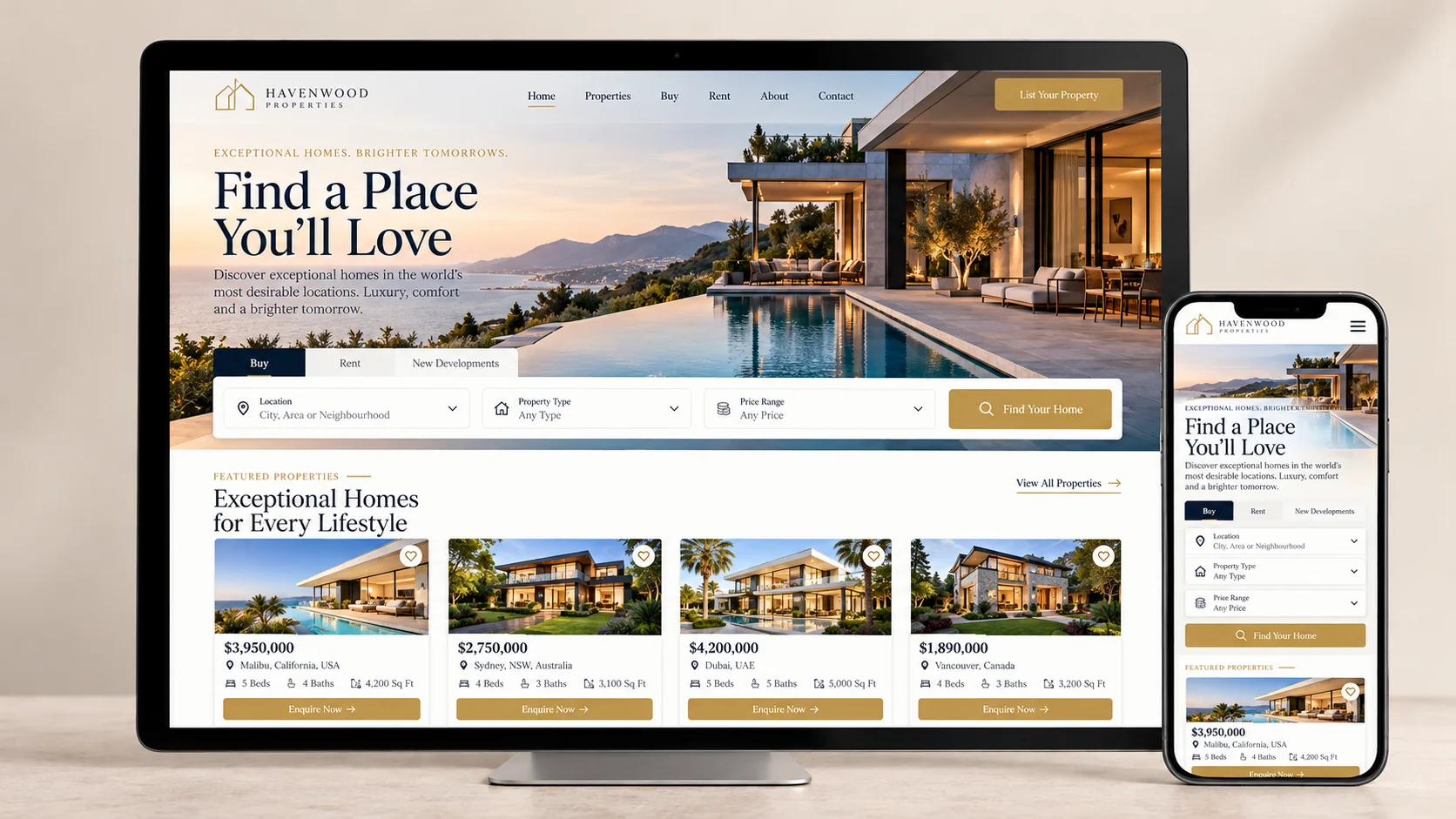
Real estate websites should help potential buyers and tenants discover suitable properties without unnecessary searching.
• Before Redesign:Property listings appear crowded, search filters are limited, and important information is difficult to locate.
• After Redesign:The redesigned website features high-resolution property photographs, advanced location filters, clear property details, and prominent enquiry options.
• Redesign Inspiration: Organise listings by location, property type, price, and availability. Include maps and relevant property information wherever useful.
• Key Takeaway: Improve property discovery by providing organised listings and practical search tools.
6. Healthcare Website Redesign – Better Patient Experience
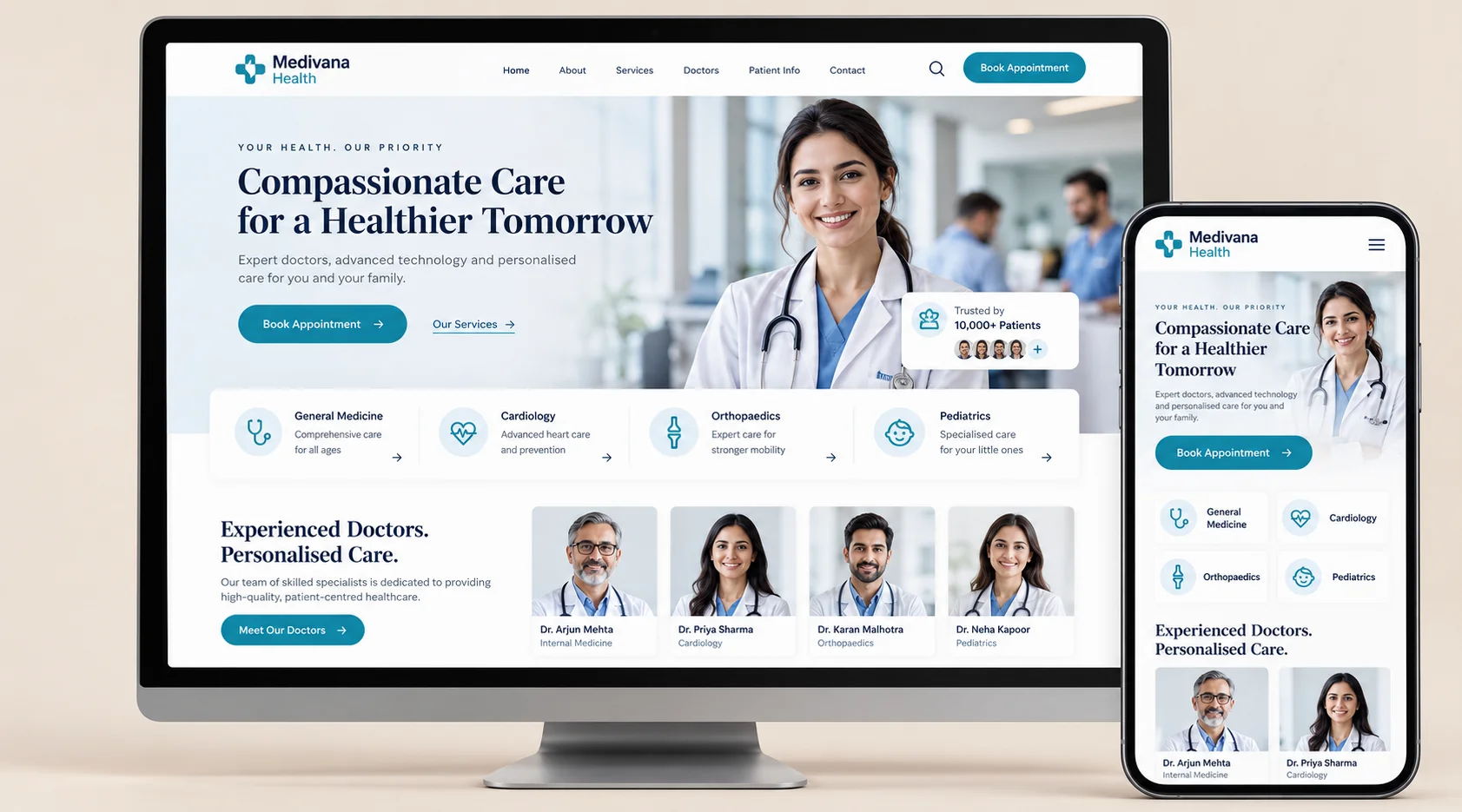
Healthcare websites must prioritise accessibility, clarity, and trust. Patients should be able to find medical services and appointment information without confusion.
• Before Redesign:The website features complex navigation, unclear department information, small text, and a difficult appointment process.
• After Redesign:The redesigned website includes organised healthcare services, doctor profiles, readable content, accessible navigation, and online appointment options.
• Redesign Inspiration: Effective healthcare website redesign examples prioritise patient needs over decorative elements. Clear appointment buttons, relevant medical information, and accessible layouts are particularly valuable.
• Key Takeaway: Build patient confidence through accessible information and simplified appointments.
7. Home Services Website Redesign – More Leads
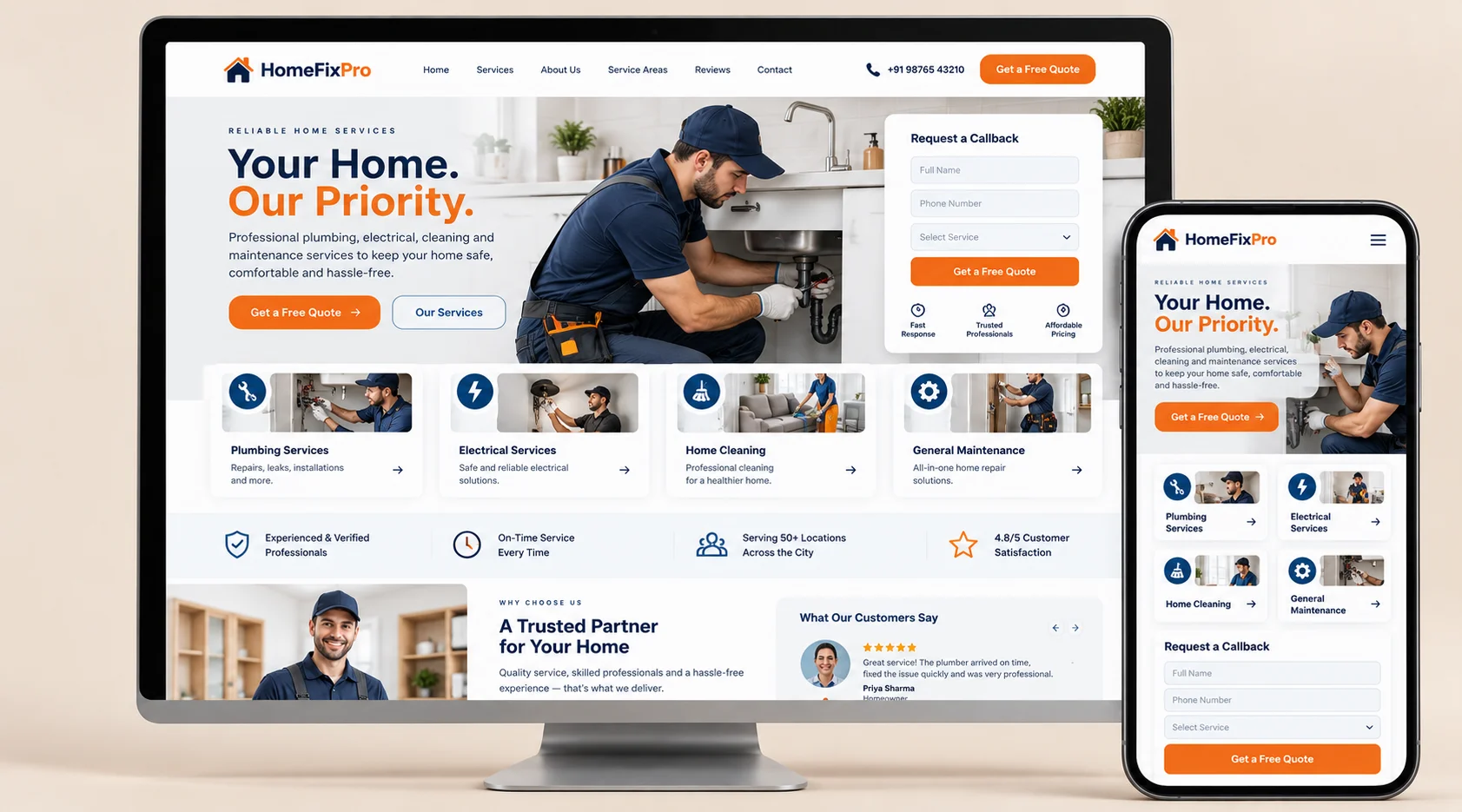
Businesses offering plumbing, electrical repairs, cleaning, and maintenance services depend on customers contacting them quickly.
• Before Redesign:The website provides generic service descriptions, limited geographical coverage information, and poorly positioned enquiry buttons.
• After Redesign:The new website features dedicated service pages, location-specific information, customer testimonials, and easy-to-complete enquiry forms.
• Redesign Inspiration: Display service areas, contact numbers, and important calls to action prominently. Make it simple for visitors to request quotations or appointments.
• Key Takeaway: Reduce the steps customers need to take before submitting an enquiry.
8. eCommerce Website Redesign – Easier Shopping
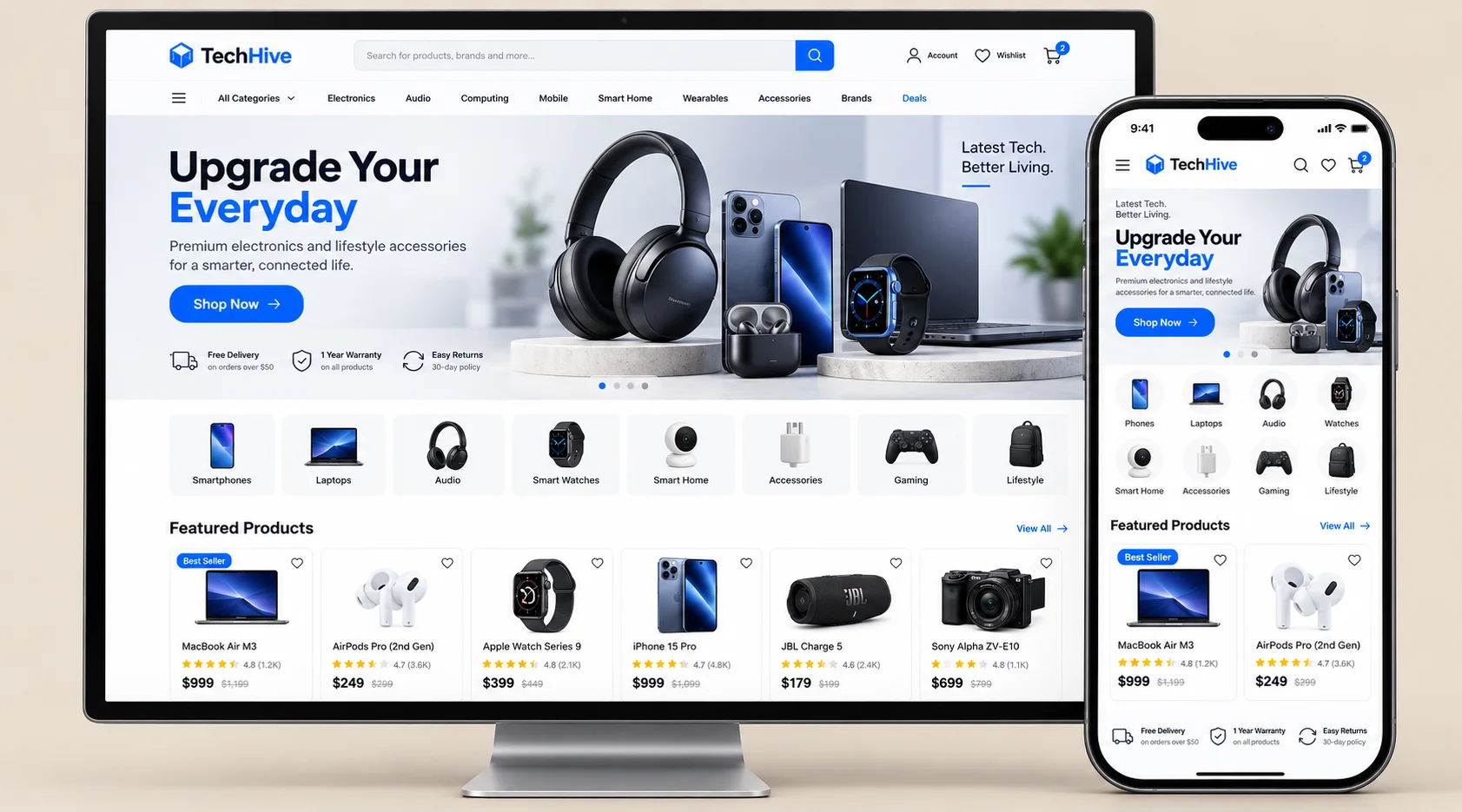
An eCommerce website should deliver a smooth shopping journey from product discovery to payment confirmation.
• Before Redesign:The website loads slowly, displays inconsistent product information, and requires customers to complete too many checkout steps.
• After Redesign:The improved website offers faster browsing, responsive product pages, transparent delivery details, and a simplified checkout experience.
• Redesign Inspiration: Improve product filtering, display useful customer reviews, and provide appropriate payment methods.
• Key Takeaway: Minimise unnecessary checkout steps and make purchasing more convenient.
9. Fitness Website Redesign – More Memberships
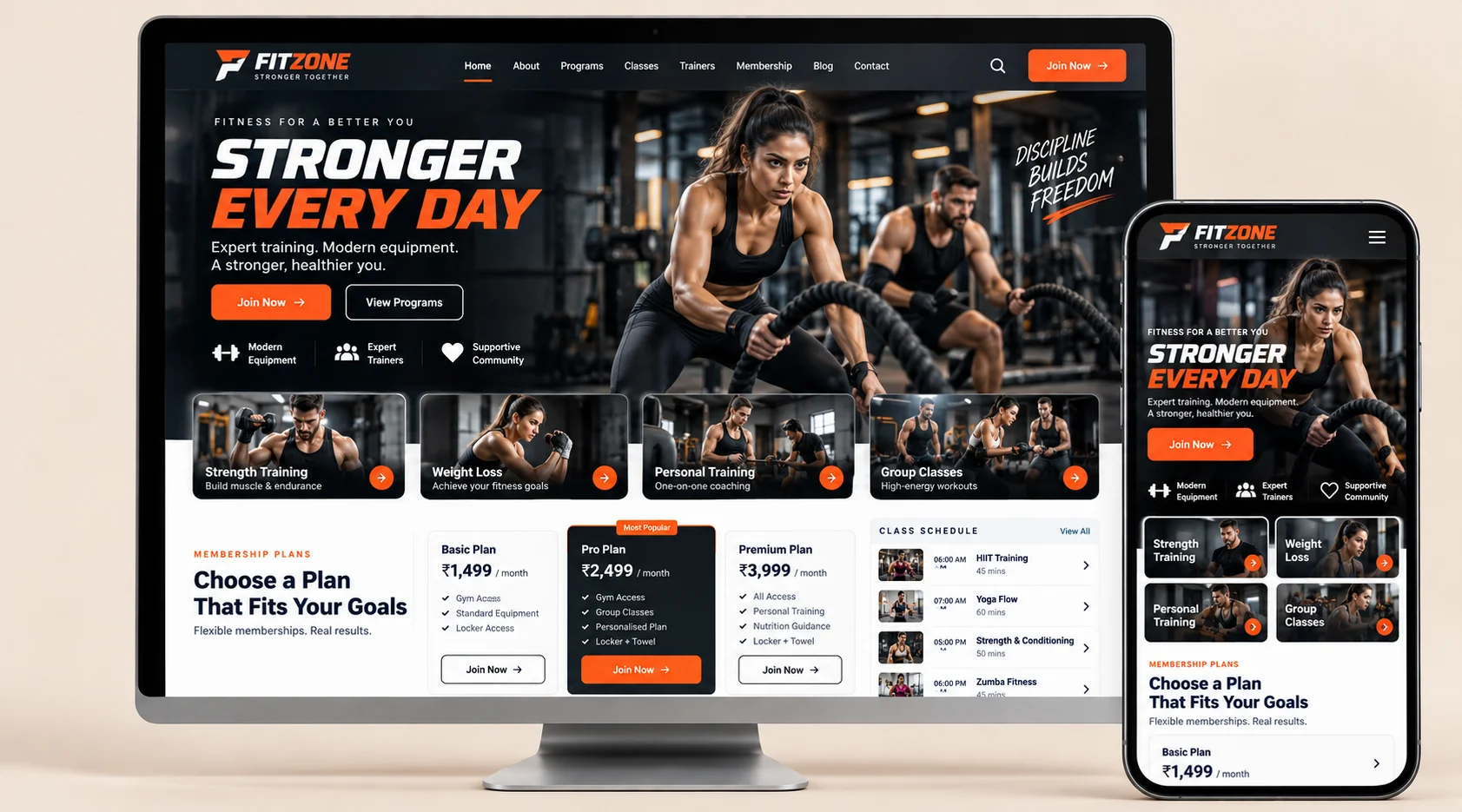
Fitness centres and gyms need engaging websites that communicate their facilities, classes, and membership options.
• Before Redesign:The website has unclear training schedules, outdated photographs, and limited information about membership plans.
• After Redesign:The updated website includes engaging fitness imagery, easy-to-read class schedules, transparent membership options, and online registration forms.
• Redesign Inspiration: Highlight trainer expertise, available facilities, and customer success stories to motivate potential members.
• Key Takeaway: Make it easy for interested visitors to explore plans and register for memberships.
10. Law Firm Website Redesign – Building Authority
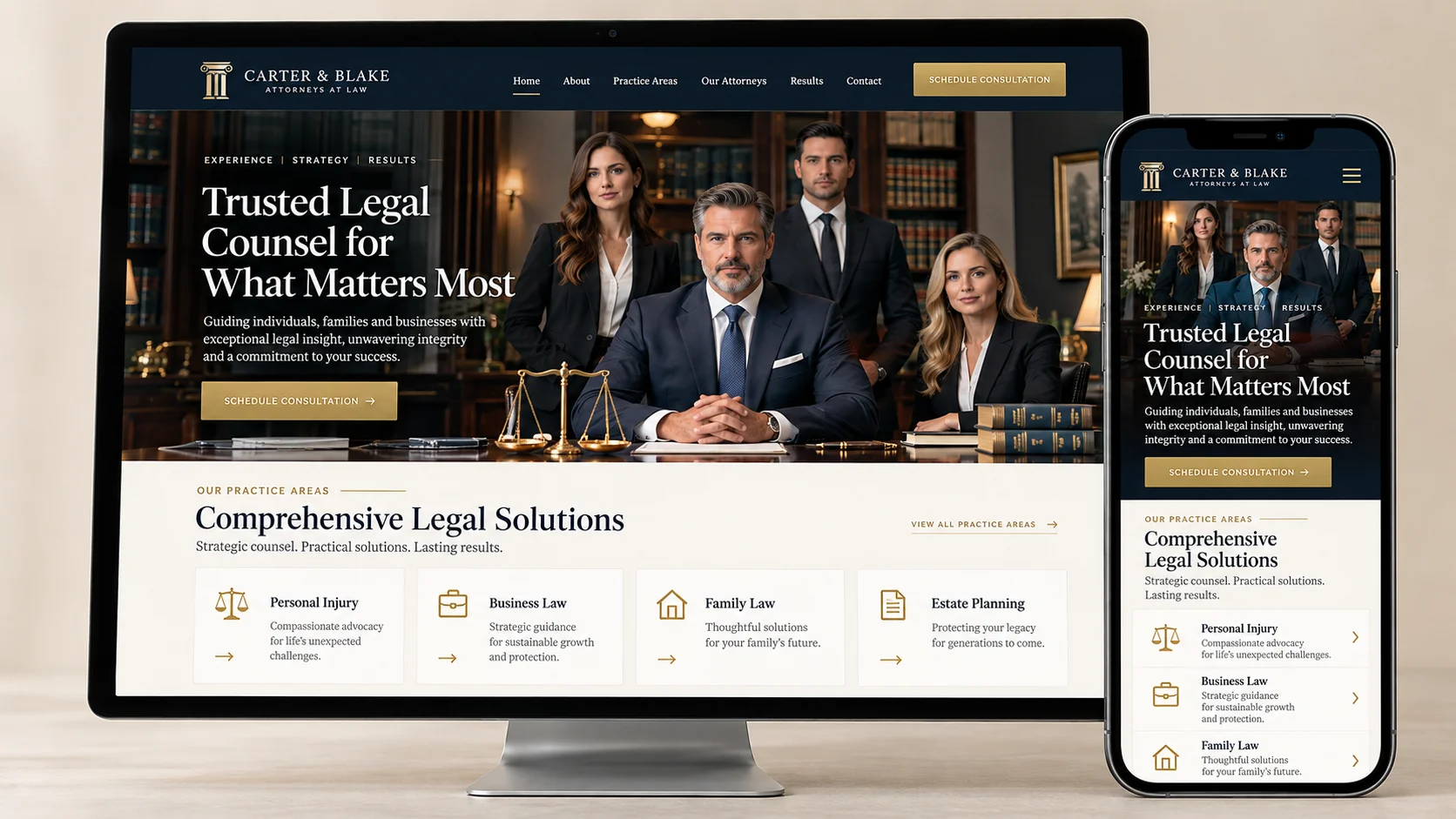
Law firm websites should communicate professionalism, experience, and trustworthy legal guidance.
• Before Redesign:The website features long, text-heavy pages, outdated visuals, and unclear information about legal practice areas.
• After Redesign:Professional website redesigning services help create structured practice-area pages, readable content, lawyer profiles, and clear consultation options.
• Redesign Inspiration: Use restrained colours, professional typography, attorney credentials, and relevant information about legal services.
• Key Takeaway: Strengthen professional credibility by presenting expertise clearly and making consultations accessible.
11. Creative Agency Website Redesign – Better Portfolio
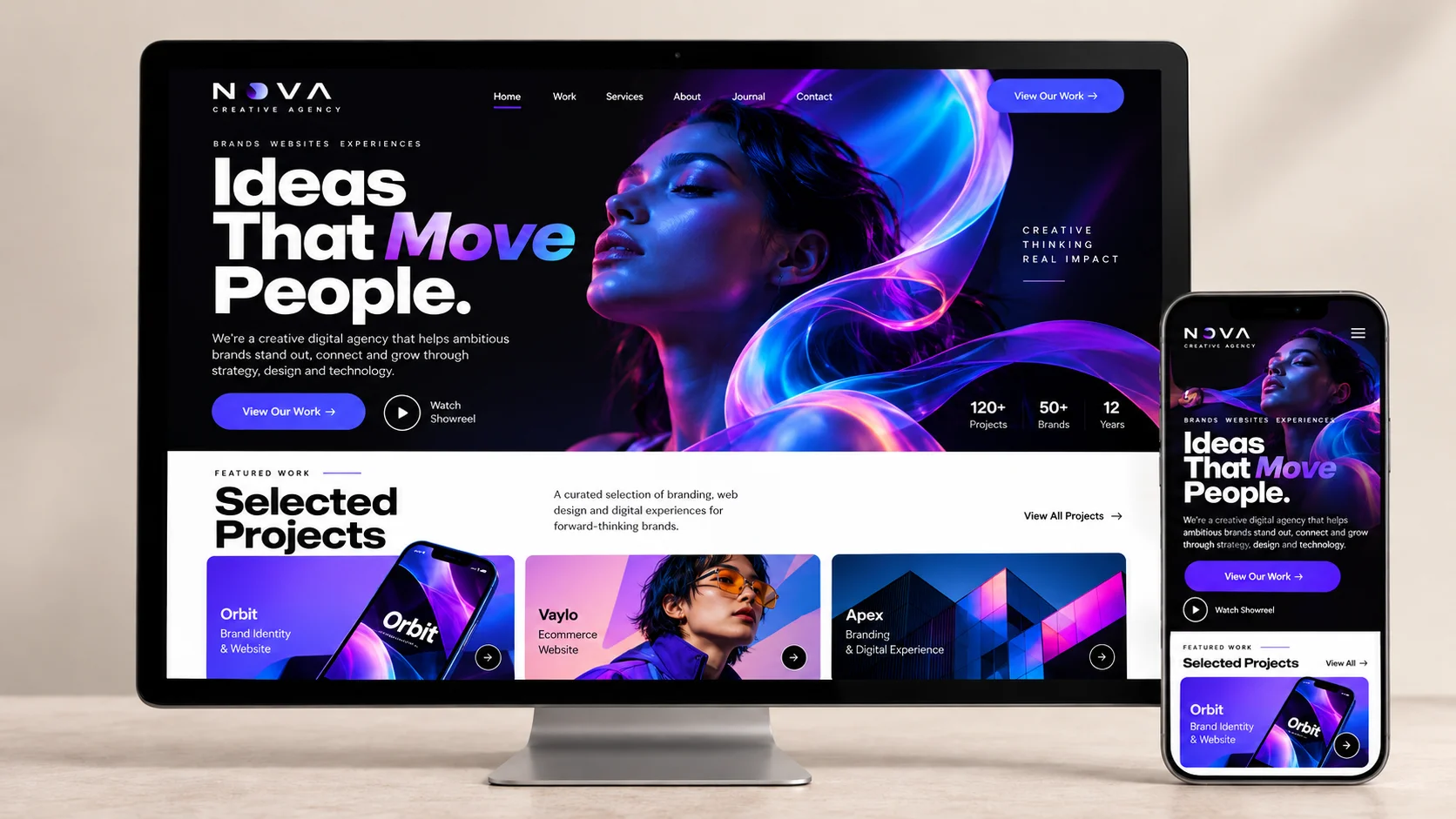
A creative agency’s website should demonstrate its capabilities through both design quality and project presentation.
• Before Redesign:The existing website has inconsistent branding, overcrowded portfolios, and limited explanations of completed projects.
• After Redesign:The redesigned website includes modern layouts, organised portfolio categories, engaging project previews, and detailed case studies.
• Redesign Inspiration: Showcase selected projects with clear explanations of challenges, creative approaches, and outcomes where verified.
• Key Takeaway: Present your strongest work through a portfolio that is visually attractive and easy to explore.
12. Bakery Website Redesign – Stronger Branding
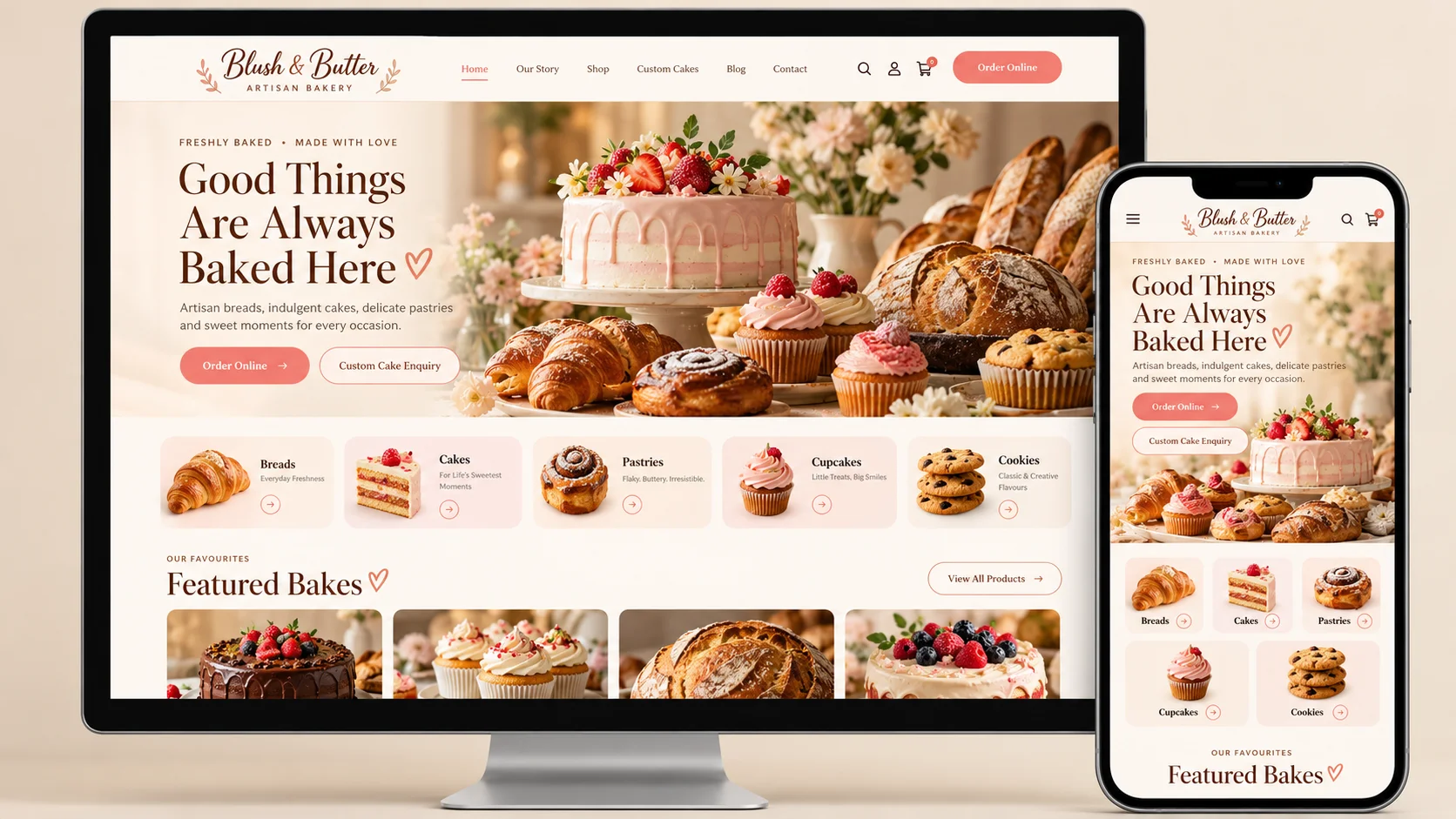
Bakery websites should reflect the business’s personality while making product discovery and ordering convenient.
• Before Redesign:The website features basic layouts, outdated product images, and limited information about available cakes or delivery options.
• After Redesign:The updated website introduces appealing food photography, product categories, customised cake enquiry forms, and online ordering.
• Redesign Inspiration: Use inviting colours, attractive product images, and simple navigation to communicate the bakery’s unique identity.
• Key Takeaway: Combine memorable branding with convenient online ordering to create a stronger customer experience.
What Do Successful Small Business Website Redesigns Have in Common?
Although website requirements vary across industries, effective redesigns often share several important characteristics. These elements improve usability, strengthen branding, and support business objectives.
◈ Mobile-Friendly and Responsive Design
Successful websites provide consistent experiences across smartphones, tablets, and desktops. Responsive layouts make text readable, buttons accessible, and navigation convenient regardless of screen size.
Businesses should test forms, menus, and other important website features on different devices before launch.
◈ Clean Layout and Intuitive Navigation
A well-organised website helps visitors find information quickly.
An experienced website redesign company can simplify complex page structures, improve navigation menus, and establish clear content hierarchies.
Effective navigation generally includes descriptive menu labels, logical service categories, and accessible contact information.
Avoid unnecessary design elements that distract visitors from important content.
◈ Fast Loading Speed
Website speed directly influences customer experience.
According to Google’s published research, 53% of mobile site visits were abandoned when pages took longer than three seconds to load. This historical finding demonstrates why performance deserves attention during a redesign.
Compressing images, reducing unnecessary scripts, and using efficient hosting can help improve website loading performance.
◈ Strong Branding and Visual Appeal
Consistent colours, typography, images, and messaging create a recognisable business identity.
A successful redesign should reflect the organisation’s personality while maintaining a professional appearance.
Visual consistency across landing pages, service pages, and contact sections also improves the overall browsing experience.
◈ Conversion-Focused Calls to Action
Effective website redesigns guide visitors towards meaningful actions.
Common calls to action include:
• Book an Appointment
• Request a Quote
• Explore Services
• Contact Our Team
• Shop Now
Place relevant buttons near important information and make the next step clear.
How to Plan a Successful Small Business Website Redesign
Redesigning a website requires more than choosing attractive layouts. Businesses need a structured approach that balances design, functionality, SEO, and customer requirements.
The following six steps can help create an effective redesign strategy.
Step 1: Evaluate Your Existing Website
Start by reviewing your website’s current design, functionality, and performance.
Identify pages with high exit rates, confusing navigation, slow loading speeds, or poor conversion performance.
Tools such as Google Analytics, Google Search Console, and PageSpeed Insights can provide useful information.
Document existing problems before deciding which elements to redesign.
Step 2: Define Your Website Redesign Goals
Establish clear objectives that align with your business priorities.
Common website redesign goals include generating more enquiries, increasing online sales, improving mobile usability, or strengthening brand credibility.
Choose measurable performance indicators, such as conversion rate, enquiry submissions, organic search traffic, or completed bookings.
Clear goals help evaluate whether the redesign delivers meaningful improvements.
Step 3: Research Competitors and Website Design Trends
Review competitor websites to understand customer expectations and identify useful design approaches.
Analyse their navigation, content presentation, service pages, and conversion elements.
Explore relevant website redesign examples to discover ideas that could work for your industry.
However, avoid copying competitors directly. Instead, focus on creating a distinctive experience that reflects your business strengths.
Step 4: Improve Website Structure and User Experience
Create a logical website structure that makes important information easily accessible.
Organise pages around customer needs and prioritise commonly requested services or products.
Use readable typography, appropriate spacing, meaningful headings, and clear navigation.
Wireframes and user journey maps can help identify usability issues before development begins.
Step 5: Optimise Your Website for SEO and Mobile Devices
SEO should be considered throughout the website redesign process rather than added only after development.
Review existing keyword rankings, valuable landing pages, internal links, and metadata.
If page URLs change, implement appropriate redirects to preserve access and reduce the risk of losing existing search visibility.
Additionally, optimise images, ensure responsive layouts, and improve technical website performance.
Step 6: Test and Launch Your Redesigned Website
Before launching, thoroughly test your redesigned website across devices and browsers.
Check navigation, contact forms, payment processes, page speed, and mobile responsiveness.
Review accessibility features such as keyboard navigation, image alternative text, and sufficient colour contrast.
After launch, monitor website traffic, search performance, conversions, and customer behaviour to identify further improvements.
Also Read : How to Redesign Websites without Losing SEO?
When Should You Redesign Your Small Business Website?
Not every website requires a complete redesign. However, certain warning signs suggest that your current website may no longer meet customer expectations or business requirements.
◈ Your Website Looks Outdated Compared With Competitors
An old-fashioned design may create the impression that your business is not keeping up with customer expectations. Modern visuals and updated messaging can help strengthen brand perception.
◈ Visitors Struggle to Navigate on Mobile Devices
If customers need to zoom, scroll horizontally, or struggle to select buttons, your website needs mobile usability improvements.
◈ Your Website Receives Traffic but Generates Few Enquiries
Consistent traffic without sufficient enquiries may indicate unclear messaging, weak calls to action, or unnecessary friction in the customer journey.
◈ Your Business Branding, Products, or Services Have Changed
When your offerings or brand positioning evolve, your website should accurately reflect those changes.
◈ Your Website Is Slow or Difficult to Maintain
Slow loading speeds, outdated technology, and complicated content management systems can affect usability and everyday website operations.
◈ Your Current Design No Longer Supports Business Goals
If your website cannot accommodate new features, service categories, online bookings, or eCommerce functionality, redesigning it may be a practical investment.
A website audit can help determine whether targeted improvements or a more comprehensive redesign would be appropriate.

Turn Website Redesign Inspiration Into Real Business Growth
A successful website makeover is not simply about following modern design trends. It is about creating a digital experience that supports your business goals and makes every customer interaction more convenient.
The 12 website redesign examples discussed above demonstrate how improvements in navigation, mobile responsiveness, content presentation, and conversion paths can make websites more useful for customers across different industries.
Whether your business needs better service pages, improved online booking, faster shopping experiences, or stronger branding, the right redesign strategy can help you make meaningful improvements.
With professional website redesign services India, small businesses can combine creative design, technical optimisation, and conversion-focused development to build websites that support long-term growth.
Working with experienced website redesign professionals can help you identify existing challenges, prioritise improvements, and create a website that represents your brand effectively.
Key-Takeaways
- Build Customer Trust: A modern, professional website creates a strong first impression and improves business credibility.
- Improve User Experience: Simple navigation, responsive layouts, and clear content make websites easier to explore across devices.
- Optimise Website Performance: Faster loading speeds, mobile-friendly design, and SEO improvements help enhance usability and search visibility.
- Increase Leads and Conversions: Clear calls to action, simplified forms, and easy booking options encourage visitors to take action.
- Plan Your Redesign Strategically: Evaluating website performance, setting clear goals, and testing improvements help support long-term business growth.

Mit Thakkar
Mit Thakkar, CEO of Midas Touch Infotech and a recognized LinkedIn SEO influencer, possesses extensive expertise in branding, website development, and digital marketing. He excels in transforming ideas into impactful digital strategies.